Introducing the Ramona Labware Viewer: well plates in 3D
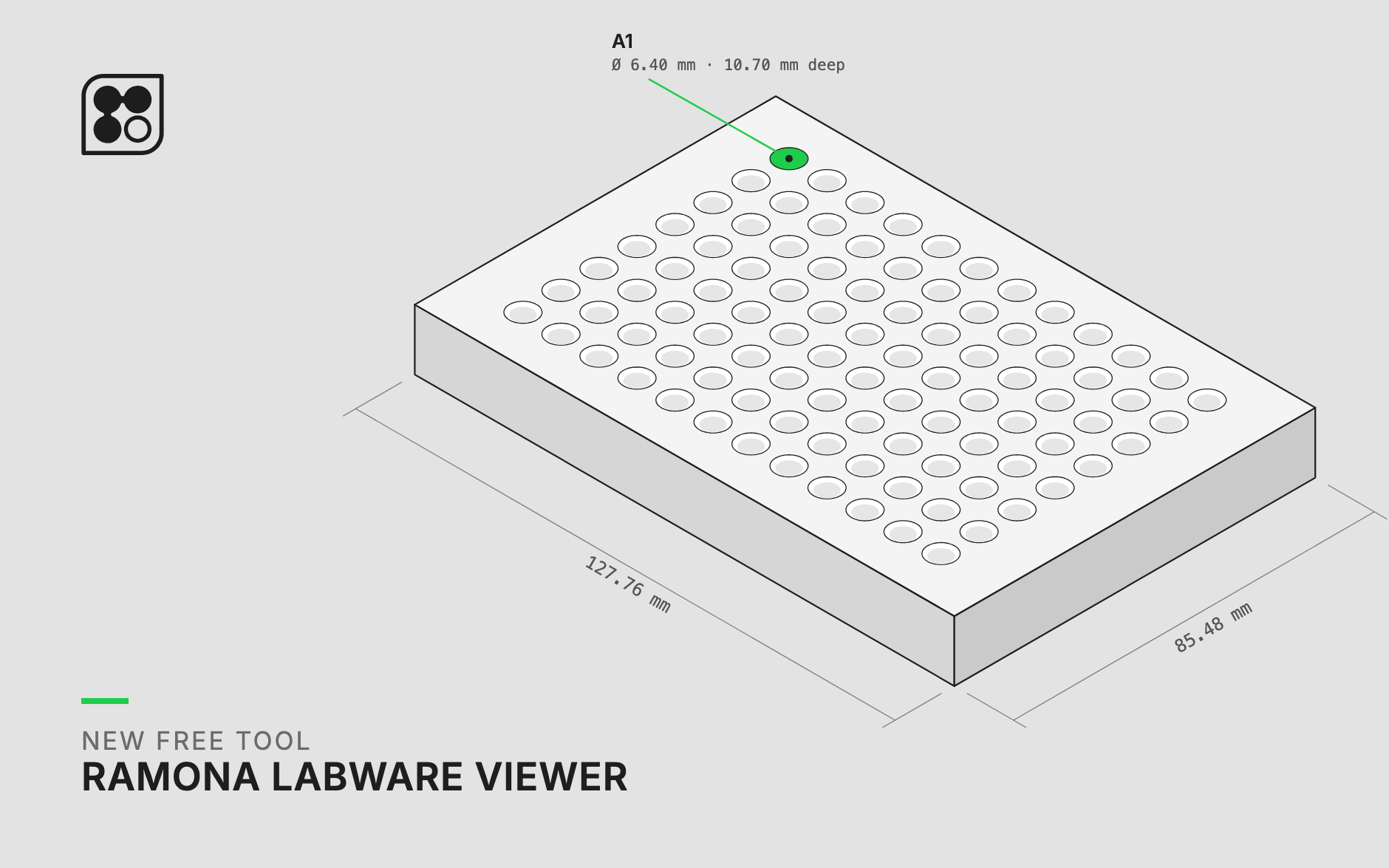

Compare the wells of 40 plates from 12 brands in 3D, and download a definition file your robot or imager can read. Brought to you (for free) by the Ramona team.
You can spend longer choosing a well plate than setting up the experiment that goes in it. That’s because the details that decide whether a plate suits your cells and your instrument are buried in vendor drawings.
Zebrafish, organoids, neurons, adherent cell lines and T cells each push you toward a different plate. So you open a dozen tabs and dig through vendor PDFs and engineering drawings written for the people who mold the plastic. All you want to know is whether the well is round or square, how deep it is, and how it compares to the plate already on your bench.
There's no central place to look this up, and labs that automate need it most: a liquid handler or an imager has to know where each well sits and how deep it goes.
We built the Ramona Labware Viewer to be that place, and anyone can use it without signing up.
Use it to:
- Pick a plate for a new assay by comparing well shape, depth and bottom before you order
- Set up an imager or liquid handler for a new plate without reading dimensions off a vendor drawing
- Load plate geometry straight into your own robot scripts or analysis pipeline as JSON
Why we built it
Our Vireo™ imager has to work with as many well plates as possible. That means describing every plate precisely: footprint, well spacing, well shape, depth and bottom thickness. As our customer base grew in 2026, so did the number of plates we had to describe.
The SLAS microplate standards fixed the outside of the plate, which is why a plate drops into the same holder on every instrument. We like them enough that the library includes a 3D model of the standard plate itself.
But the standards say much less about the wells. Where the wells sit is only standardized for 96, 384 and 1536-well plates, and plates with 6, 12, 24 or 48 wells vary far more. Inside the well, every manufacturer makes its own choices, and the variations multiply as labs adopt New Approach Methodologies (NAMs). Their drawings rarely give enough detail to rebuild the plate.
At some point I got tired of reading plates as columns of numbers, so I built a tool to see them in 3D. InSphero's Akura plates, for example, have a round imaging area at the bottom of each well and a square opening at the top. Try picturing that from a drawing. In 3D you get it in two seconds.
Our team built this library through a Slack channel that Jed Doman, our senior software developer, set up: a field application scientist posts a plate, and an AI assistant finds the vendor's drawing and drafts the definition file for someone to review.
What's in it
The library covers large manufacturers like Corning, Greiner Bio-One and Thermo Fisher (Nunc), and specialty makers like Ibidi and InSphero. It's a small start on purpose. We'd rather publish plates we trust than a long list we don't, and we'll add more as we review them.
For every plate you get:
- An interactive 3D model you can spin, zoom and compare against other plates
- A link to the manufacturer's page, so you can buy it from them
- A downloadable JSON file with the full definition
- The date the definition was last updated
Every plate in the library works on the Vireo, and the files run the same way on any other instrument.
Help us make it better
We'll keep adding labware, and we want to hear which plates you use most. Email help@ramonaoptics.com with plates you'd like added and any mistakes you find in the existing definitions.
Compare the wells of 40 plates from 12 brands in 3D, and download a definition file your robot or imager can read. Brought to you (for free) by the Ramona team.
You can spend longer choosing a well plate than setting up the experiment that goes in it. That’s because the details that decide whether a plate suits your cells and your instrument are buried in vendor drawings.
Zebrafish, organoids, neurons, adherent cell lines and T cells each push you toward a different plate. So you open a dozen tabs and dig through vendor PDFs and engineering drawings written for the people who mold the plastic. All you want to know is whether the well is round or square, how deep it is, and how it compares to the plate already on your bench.
There's no central place to look this up, and labs that automate need it most: a liquid handler or an imager has to know where each well sits and how deep it goes.
We built the Ramona Labware Viewer to be that place, and anyone can use it without signing up.
Use it to:
- Pick a plate for a new assay by comparing well shape, depth and bottom before you order
- Set up an imager or liquid handler for a new plate without reading dimensions off a vendor drawing
- Load plate geometry straight into your own robot scripts or analysis pipeline as JSON
Why we built it
Our Vireo™ imager has to work with as many well plates as possible. That means describing every plate precisely: footprint, well spacing, well shape, depth and bottom thickness. As our customer base grew in 2026, so did the number of plates we had to describe.
The SLAS microplate standards fixed the outside of the plate, which is why a plate drops into the same holder on every instrument. We like them enough that the library includes a 3D model of the standard plate itself.
But the standards say much less about the wells. Where the wells sit is only standardized for 96, 384 and 1536-well plates, and plates with 6, 12, 24 or 48 wells vary far more. Inside the well, every manufacturer makes its own choices, and the variations multiply as labs adopt New Approach Methodologies (NAMs). Their drawings rarely give enough detail to rebuild the plate.
At some point I got tired of reading plates as columns of numbers, so I built a tool to see them in 3D. InSphero's Akura plates, for example, have a round imaging area at the bottom of each well and a square opening at the top. Try picturing that from a drawing. In 3D you get it in two seconds.
Our team built this library through a Slack channel that Jed Doman, our senior software developer, set up: a field application scientist posts a plate, and an AI assistant finds the vendor's drawing and drafts the definition file for someone to review.
What's in it
The library covers large manufacturers like Corning, Greiner Bio-One and Thermo Fisher (Nunc), and specialty makers like Ibidi and InSphero. It's a small start on purpose. We'd rather publish plates we trust than a long list we don't, and we'll add more as we review them.
For every plate you get:
- An interactive 3D model you can spin, zoom and compare against other plates
- A link to the manufacturer's page, so you can buy it from them
- A downloadable JSON file with the full definition
- The date the definition was last updated
Every plate in the library works on the Vireo, and the files run the same way on any other instrument.
Help us make it better
We'll keep adding labware, and we want to hear which plates you use most. Email help@ramonaoptics.com with plates you'd like added and any mistakes you find in the existing definitions.
Speakers
Introducing the Ramona Labware Viewer: well plates in 3D
.png)
Choosing the Right Well Plate for Your Kestrel: Why Plate Compatibility Matters
.webp)